AI-Powered Workplace Safety: From Reactive Response to Proactive Prevention
Brandon Jones, Director of Safety and Risk Services at Missouri Employers Mutual, joins host Heather Carl to map what AI can already do for workplace safety: generate tailored safety programs and toolbox talks, analyze claims data against industry benchmarks, watch job sites through computer vision for PPE and forklift-pedestrian conflicts, and automate drudge work like contractor pre-qualification. His advice for the overwhelmed: just start prompting.
Key takeaways
- AI does not sleep or take breaks; it can monitor operations 24-7 in a way no staffing plan can.
- Prompted well, chat tools can surface your industry's serious injury exposures and generate customized safety programs and toolbox talks on the fly.
- Do not take AI output at face value: vet it, and prefer vendors with models locked down to the safety and health domain.
- Never feed proprietary or personal data into public models; use locked-down internal tools.
- AI shines at analyzing large data sets: claims trends, near misses, schedules and maintenance logs, finding patterns humans miss.
- Computer vision already flags missing PPE, hot work without permits, and forklift-pedestrian conflicts in real time.
- Bring employees into the process early so monitoring reads as protection, not surveillance.
It doesn't sleep or take breaks. It can monitor something 24-7. And by human nature, there's no way an individual could ever do that or hire enough people to do that.
There were things going on in the warehouse that employees didn't recognize, the employer didn't recognize, and after they used this computer vision and AI tool they recognized that they had some potential for some severe injuries or fatalities with employees walking under loads. It had just become normal.
Ultimately we want everybody going home in the same condition that they showed up.
AI isn't here to replace your safety program. It's here to make it stronger.
The SafetyTalker take
The usable middle of this episode is the drudge work argument: contractor pre-qualification, program drafting and injury data analysis are hours of skilled-adjacent work AI can compress to minutes, freeing you for floor time. Start with a locked-down chatbot and your own loss runs, and treat every output as a draft that needs your judgment, not an answer.
AI vendor pitches are everywhere; grounded explanations of what the technology does for a working safety department are rarer. This WorkSAFE Podcast episode is one of the grounded ones, with Brandon Jones, who leads Safety and Risk Services at workers’ comp insurer Missouri Employers Mutual, walking host Heather Carl through use cases his team has actually evaluated.
Removing the drudge work
Jones opens with a caveat, nobody is a true expert in a field evolving this fast, and a simple frame: AI does not sleep or take breaks, and it excels at what MEM calls drudge work. Feed it the right prompts and a chat tool can identify the serious injury and fatality exposures in your industry, generate a customized safety program, and draft toolbox talks, tasks that used to need dedicated software or days of writing. He has seen tools that watch a piece of equipment and generate a draft lockout tagout procedure almost in real time.
The caveats are as useful as the pitch. Not everything AI produces is accurate, so vet outputs, and prefer vendors whose models are locked down to the safety and health domain. And never put proprietary or personally identifying information into public models; MEM restricts its own teams to internal, locked-down tools for exactly that reason.
Data you already have
The analytics discussion is aimed at anyone sitting on years of claims and injury data. AI can chew through large data sets faster than any human, surface trends you did not ask about, new hire injuries by location, for example, and compare your losses to public benchmarks by industry code. That connects directly to the numbers safety managers already report; if experience modifiers are new territory, our guide to EMR safety rating calculation explains the metric Jones references.
The more interesting move is cross-referencing streams no single person watches: schedules, maintenance logs, near miss reports. His example lands close to home for any operations manager: heavy overtime plus rising near misses may be a fatigue signal you would otherwise spot only in the incident investigation, after the fact, which is the whole argument of our fatigue and complacency talk.
Computer vision grows up
Jones traces how fast the monitoring side has matured. Five years ago, ergonomic analysis meant uploading a video for posture scoring; now a phone does it in real time. Vision systems that once drowned users in false alerts now reliably flag missing PPE, hot work where no permit exists, and geofence intrusions; some New York City job sites already require this monitoring. His most striking story is a warehouse operator with a top notch program who assumed there was nothing left to find: the system revealed workers routinely walking under suspended loads and forklift-pedestrian paths crossing at dangerous rates. Normalized hazards, invisible to everyone on the floor. If forklift traffic is part of your world, run our forklift safety toolbox talk while the cameras are still in procurement.
On the surveillance question, Jones is direct: involve employees in evaluating and implementing the tools, and be clear the goal is protection rather than productivity tracking. Workers accepted the warehouse system once it surfaced hazards that had become invisible to them too.
Where to start
The episode closes practically. Agentic systems that shut down a line or lock down a school when they detect a threat exist and are improving, false clarinet-as-gun alarms notwithstanding. Contractor pre-qualification, checking submissions against your safety record and EMR thresholds, is ripe for automation. And for the overwhelmed, Jones’s advice is to just start: open a locked-down chatbot, describe your operation, and ask what would make it safer. As Carl sums up, AI is not there to replace the safety program, it is there to make it stronger.
Full transcript
Read the full transcript
Hello, welcome to the WorkSafe podcast. On each episode, we share conversations about workplace safety strategies, work comp expertise, and stories to help you on your journey to a safe, healthy, and strong workplace. The WorkSafe podcast is brought to you by MEM. Before we begin today, we want to thank you all for listening and ask a favor. We are always working to reach more people. So, if you find our content valuable, we would appreciate it if you would share our show with others and give us a rating or review on your favorite podcast platform. With that, let’s get today’s conversation started. Here’s our host, Heather Carl. Welcome to the WorkSafe Podcast.
Artificial Intelligence, or AI, is showing up everywhere right now. From the tools we use in our daily lives to the systems running behind the scenes at work, AI is changing the way businesses operate. But in the world of workplace safety, AI isn’t just a buzzword. It has real potential to help employers prevent injuries, improve productivity, and make more informed decisions. But how exactly can AI help a business understand its risks? What can it do with existing data? How close are we to seeing AI-powered tools like wearables, sensors, or computer vision become a part of our everyday safety programs?
To help us answer these questions, we’re joined by Brandon Jones, Director of Safety and Risk Services at MEM. Brandon works with employers across a variety of industries, helping them understand their exposures and build safety programs tailored to their business. Brandon will give us a deeper understanding of how AI can enhance risk reduction from self-assessments and trend analysis to real-time hazard recognition and smarter decision-making. Welcome to the podcast, Brandon. Thanks, Heather. Appreciate you having me. Well, AI is a part of conversations all over the place and I’m sure we’ve had them regarding things in our personal world as well as work for just about everybody.
And as I mentioned, there’s a lot of potential for it to do some really good things in the safety world. I’d like to start off with getting your perspective on why employers should start paying attention to how AI can support safety and productivity. Okay. First off, let’s throw out there. I don’t think you’re going to find anyone true expert in this industry just because it is evolving so fast and improving at such an exponential rate. It’s getting tough to keep up with and that’s all of us trying to keep up with it.
But with respect to safety, the thing we all have to consider is, and it goes beyond safety, but AI and putting it to use, if you think of it like this, it doesn’t sleep or take breaks. It can monitor something 24-7. And by human nature, there’s no way an individual could ever do that or hire enough people to do that. So that is one of the beauties of it. It’s one, here to stay. And two, it can operate behind the scenes 24-7. And a thing that we look at, even here at MEM, and how we’re working at using it, is we call something dredge work, or some of those simple tasks that we have people doing.
And there are ways that we can utilize AI to figure out a quicker, better way to do it, and maybe even sometimes a simpler way to do it, and then put our people on those things that make a difference or what we might say is more impactful work. So there’s opportunities really in every space, but as we think about safety, there’s even opportunities with respect to safety to get rid of that drudge work. Well, one of the most practical AI applications is helping businesses perform self-assessments. And I was wondering if you could talk to us about how AI can help an employer understand their exposures and then also prompt the right questions and recommend solutions or resources for those.
So when you think about a chat GPT model or a co-pilot model, it’s fed with everything that’s on the internet. And employers could utilize that to maybe even better understand their industry and what’s going on in their industry while they understand their operations. And it’s even what we see here at MEM. We ensure a lot of businesses in the same space, so we get to see a lot of different things where an employer may not get to experience that. But they could easily prompt an AI solution to say, okay, what exposure should I be focused on in my industry? Which ones are…
likely to cause us what we call a serious injury or fatality and have the AI tool even prompt with questions just to help them better understand. What are the exposures? And then you give an answer. It can respond and provide solutions to or even resources that can be pointed directly at their place of business if they want to prompt it specifically with questions about their business. And then even from a resource, it’s amazing what resources it can produce now. We used to have something that we had as a safety program builder and you went through it and it filled out who you were as an employer and what exposures you had and it produced a safety program.
AI can do that on the fly and it actually even customized it even more so than what we could five years ago. And then when you look at resources, and I’m using the term resources pretty broadly, but whatever resources you’re able to glean from AI and produce, whether it be toolbox talks, safety programs, materials, you can even have AI follow behind the scenes and track the usage of those resources. How often are people accessing a tool or a page or a piece of information so that you can understand how often a safety message is getting out there and employees are consuming it. I think that sounds like a great way to make things more accessible to everybody.
So it’s a really positive way to use AI in regards to safety. And I wonder if you could talk to us too a little bit about if someone is using it to, say, build a safety program, get resources, you know, all of those types of things. How do you have tips for or how does an employer kind of know, OK, this information that it’s pulling is valid. It’s from verified sources. It’s correct in those types of things. That’s a great question because we know not everything you see on the internet is accurate. And that’s even the case with AI. And we’re starting to see solutions or large language models that are tied specific to a domain and are more locked down.
And we’re seeing vendors in that space to where it is safety specific. So we know what has gone into what’s been fed into this model. is accurate and relevant to safety in this case of what we’re talking. That is probably one of the bigger tips is don’t take everything that you see on face value. Definitely edit it or if you’re able to look at a model that is specific to safety and health in the workplace, that’s even a better solution. I mean, we’re using that on the legal side here at MEM to where it’s locked down on the on the league aspects, not safety, but just the legalese of things where our lawyers are using it.
So that would be one tip I would suggest employers is one don’t take it on face value what they’re seeing or the output you know definitely vet it if you need to we can help do some of that vetting as well and evaluate it but two if you’re able to find a vendor that can provide a solution that anywhere even looking at that aspect to to provide to our policy holders but finding a vendor that is specific to the safety and health space even better. And then obviously the prompts that you’re putting in, how you prompt it is the key to all of this. And right now we’re just talking about more of these chatbob type AI use cases.
But yeah, the prompts are key for all of this and understanding you’re going to get out of it exactly what you ask it. So the more detail you can give it, the better response you’re going to get. Well, I think you made a great point about the way different businesses use it. A lot of businesses. have proprietary information that they don’t want to throw out there into the universe as a prompt because then it can be picked up, you know, by someone else or used in someone else’s answer and those types of things. And so I know, for example, you know, at MEM, we’ve taken steps that you can only use ones that are locked down. They don’t share data across different things and all of that.
So I’m sure that’s probably something employers should consider as well. Oh, absolutely. Yeah, I mean, it’s a great point because anytime, you know, we may use an AI tool to analyze data as an example, but we’re not going to use something that’s public facing. It’s going to be locked down to internal. So that data isn’t, you know, other employers aren’t able to access it or it’s not being used to train a public model. So that’s a critical component of it. If you’ve got proprietary information or personally identifying information or sensitive information, it’s a great point. and something we’re very keen on.
Well, in that same vein, as we’re talking about data, AI can supply some valuable analytics to people and assuming that it has the ability to analyze a company’s, say, their lost trends and compare them to industry benchmarks in that space, kind of looking into the E-Mind calculation, how should employers think about utilizing AI in this way? go about actually putting some of those solutions defined by the analytics they have received into practice? For sure. So a lot of times what we’ll see is some of this is more applicable to larger employers if you’re analyzing claims trends on the work comp side or even just injury trends on the Bureau of Labor Statistics side.
Small employers don’t have enough claims to use a tool like this because you can read it and see it. where there’s a lot of data. I mean, that’s one of the beauties of AI. It can analyze a ton of data quicker than any human ever could and come back with pretty accurate results. So uploading data into AI and say, you know, and again, it’s the prompt that you put in place. Give me, you know, this output and being very specific, you know, what trends am I seeing for new hire injuries in or locations or whatever it may be.
but the other thing too is it can analyze it and you can ask it to find trends that you may not have recognized and pick up on minute things that a human may not have picked up on unless they spend hours and hours just truly understanding the data set. So that is really one of the benefits we’re seeing right now is how quickly it can analyze a large data set regardless of what that data set is and then bring back the trends it may see.
and even you mentioned peer comparison that data is out there publicly available for a class code or a NAICS code, NAICS code for employers to compare themselves against to see are they doing better or worse than the average competitor out there and maybe things you know kind of going back to the other question maybe things that they could do to improve to become just as good or better or a safer workplace. The other thing too is, you know, we’ve talked about in the past the Internet of Things and sensors tied to pieces of equipment. We’re seeing AI now being deployed where it’s connected to all of those different sensors, if you will, and monitoring them in real time.
And that’s really the beauty of some of it and where we are today is it can look at how is equipment operating? Are employees working in an area that they shouldn’t be? Is there heat or fire in a certain area that we would not expect as such as a welding operation. Some of these large job sites that are going on in some of the bigger cities are actually requiring some of this stuff. As an example, they might have to get a hot work permit to do welding in an area. If they didn’t get that and AI like a vision system is recognizing spark going on from somebody welding and there’s not supposed to be anybody there, it could send an alert. It’s evolving so fast, it’s crazy.
There are a lot of different ways that it can analyze a huge amount of data sets and data streams at once and that’s where we’re really seeing the power of this. I think that’s a great segue into what I was kind of wanting to talk a little bit about next is the fact that we’re past the theoretical stage with AI. So it’s definitely available right now in a lot of ways and you started to touch on with some sensors and things like that. Can you also maybe expand on a little bit about what AI powered tools or systems that employers are kind of already using today to improve safety?
Yeah, this is kind of why I say it’s, you know, you’re not going to, this is evolving so fast and you’re not going to find anyone expert because there’s so many different use cases out there for it and just some of the ones we’ve run across. Computer vision systems is an example and this has been around for a while, but it’s getting so much better in this space. So as an example, five years ago we had evaluated an ergonomic tool where you would take a video uploaded into a system and it would evaluate employees postures and then give you recommendations. Here’s the risk or probability of an injury and here’s recommendations to prevent those injuries.
Now I can do that in real time by using your phone. The other thing I’ve seen recently is doing a piece of equipment and then evaluating what your lockout tagout procedure should be and actually generating that program for you. almost in real time. So it’s been pretty impressive. Two years ago I’d seen where some of these benders were coming out with AI vision systems of just monitoring 24-7 monitoring and recognizing is there a hazard there and sending alert to somebody and what we were seeing were a lot of false alerts where it really wasn’t a hazard but it’s gotten to where it can recognize stuff so much better now with the quality of the cameras. quality of the tool just two months ago.
So in December at a conference, watching a video where they have warehouse operation and watching the paths of forklifts with respect to the pedestrian traffic of the workers and where they intersect and it actually evaluating that in real time and determining is there a risk of an employee getting ran over by a forklift and what is that risk? So it has evolved tremendously even in the last year. We’re seeing job sites. So ran across to one, not that I wasn’t there, but I saw the evaluation of it, but a job site in New York City where the contractor was now required to put up real time monitoring of the job site to make sure employees were wearing the PPE they need to be wearing.
As I mentioned, like a hot work permit, making sure that that’s going on when it’s supposed to happen. Geofencing areas, make sure employees aren’t walking in areas they shouldn’t be. So it’s, it’s impressive to me how quick it’s evolving and how even the businesses are starting to utilize it. And what I’ve come to understand is really as creative as we can be, this guy’s the limit on how we can utilize this tools and technology to improve safety. And it’s just going to continue to evolve from there. Trying to think anything else to add to that. Well, just to kind of maybe continue that.
part of the conversation, I was just going to mention that we recently did an episode with the developer of some wearables, you know, that technology, you know, used on your arm or your wrist or whatever that looks like while you’re working. And this particular one was helping to analyze the risk of strain and sprain, you know, just based on your physical movements and then downloading it into a database and One of the things that we talked about, I know you mentioned ergonomics. Obviously, that’s a huge one, posture, things like that. But one of the things we talked about was employees feeling like, well, somebody’s watching me. I mean, in some ways they are.
I don’t know if I want to be analyzed all the time. I don’t know if I want to wear that and all those things. But I wonder if you have any types of advice for employers who you know, maybe they’re getting some resistance. Like, look, I’d like to put this in place because it really, it’s not punitive. It’s really there to help ensure the safety, right, and prevent you from getting hurt. It’s not that you’re going to be, you know, have a get docked for it in some way, shape, or form, but it’s really just helping inform them. So what do you say when you talk to different employers about that? Absolutely. That’s a great point.
You know, the first recommendation would always include those employees in the process of not only evaluating tools, but as you implement it and understanding why we’re doing it. I mentioned the warehouse operation. The example that was shared, this was an employer top notch safety. They didn’t think they could get any better. And there were things going on in the warehouse that employees didn’t recognize, the employer didn’t recognize, and after they used this computer vision and AI tool to analyze that they recognize that they had some potential for some severe injuries or fatalities with employees walking under loads and it just become normal and they weren’t even really thinking about it.
So if employees understand why we’re doing this and it’s not like you said to be punitive, but it’s to just protect them, keep them safe and really bring things to light that may have become normal for them. I think employees will respond to it better because yeah, it’s not the fact that we want to keep up with the 24-7. We don’t want to track your movements or how productive you are depending on how employers implemented it. But it’s more about making sure that we’ve got a safest workplace possible because ultimately we want everybody going home in the same condition that they showed up. We want them all going back to their families safe and sound. So it’s really about that.
And whatever tools an employer can implement to help increase the probability of that should be a win-win for everybody. I can imagine that these types of tools generally are connected to not just one, but multiple different data streams. And so I was wondering if you could talk to us a little bit about what AI can learn or predict when it analyzes things such as surveillance video. IoT sensor data, a maintenance log, workforce schedules, environmental data, near-miss reports, injury history. That’s a lot to really kind of feed into a source there and have it spit out and output it. It would take us humans a lot of time and effort to do that.
If you could talk a little bit about how AI can really take all those different data points in, and then are there any limitations to that with what it can do? Yeah, and we kind of touched on a little bit, but I’ll approach it from this angle. When we do an accident investigation, we do what’s called a root cause analysis. What was the true underlying cause of an event happening, whatever that event may be? It’s one of those things you got to dig deep to get to the true root cause. Using this technology and analyzing a lot of data sets, a lot of data sources, a lot of inputs, It can predict what may happen, like I mentioned, the forklift in pedestrian traffic.
It can say you’ve got high probability of this happening before it happens because it’s analyzing tremendous amounts of data to mean one of the powerful components of it is taking that large data set and pointing out things that may have become normal commonplace for an employer and really bringing light to a situation that they may not have recognized that may have been just their normal operations or process.
That really is the beauty of it and noticing those minute trends that might only happen of course of a week an event might only take place 10 seconds out of a week and nobody noticed it nobody picked up on it where These AI tools can pick up on that and make you aware of things that you may not have had any idea that may have been going on So that is really the beauty of it is identifying those minute trends and pointing them out to you and really getting the attention to a situation before something more severe happens or somebody gets injured. Well, and you know, I can imagine that some of these minute trends are connected to things that we don’t normally connect them to.
So for example, we mentioned using some data points like a maintenance log, a workforce schedule, near-miss reports, all of those things. So maybe we see, gosh, you know, everybody’s been working overtime. based on these schedules and all of that. We’ve had a lot in your missed reports, maybe because they’re fatigue. So you can start to put some things together that you wouldn’t normally maybe be able to do without dumping it all in to something like an AI tool and being able to have it tell you that. Yeah, absolutely. Because you’re not going to have one person that’s probably looking at all those little things. So if it’s got access to, like I said, how long have people been working?
When did they show up? When was the last time we did maintenance on this piece of equipment? Is it heating up? Is it working as designed? Do employees have to stop it often in clear jam or whatever it may be? I mean, all of these things can be fed into it to say, okay, we’re seeing these trends and they’re increasing. At some point, an injury is likely to happen and here’s where it may happen. That sounds intelligent. This is kidding. And employers can build these out to where they are operation specific.
And even on the safety side, it’s going to help on the production side because equipment’s not going to be down as often as long as you’re able to maintain it or you’re seeing something spilling, you’re getting to it before it sets down in operation. I mean, those are key things that it goes way beyond safety and gets into efficiency and productivity as well. So there’s huge aspects to it by feeding in all these data streams that goes way beyond just safety. If somebody’s operating safely, we usually see, you know, they’re a profitable company as well. So it goes hand in hand and using it for both.
If somebody’s using it to automate a line and know when the product capacity has reached its limit or fill capacity is maxed out or needs to be filled again. I mean, there’s all these things, but then tying safety into it and thinking about it like that, it goes hand in hand to where it helps. operationally helps bring people home safe and creates a better working environment for everybody. I know that we’re all aware of the fact that some AI systems can actually go beyond the analysis piece and then actually perform actions. So I wonder if you could touch on what your experience has been with any more agent-based AI possibilities in workplace safety.
perhaps those different types of systems can actually notice a hazard escalating and then it can trigger a shutdown when there is a dangerous condition. You know, it doesn’t wait for somebody to respond to it. It just does it because it detects the hazard or something like that. Can you talk about what’s available in those kinds of terms these days? Yeah, and I haven’t seen anything specifically other than maybe in school systems and what you’re talking about is Right now what’s called a genetic AI and like as you mentioned, it’s understanding a trend or a situation and taking some action.
That action can be from something small to something big, shutting down a process or closing doors or whatever it may be. And honestly, it’s not perfect, but as these things are evolving, it’s getting better. There was a situation down in Florida and not too long ago where a student was taking, I think it was a clarinet and holding it up like a gun and the AI computer vision system thought that a kid had a gun in school, so it sounded off all the alarm, shut the school down, locked it down.
That is one area where we’re seeing it starting to be used more often is in school systems where these computer vision systems are tied in to hallways, classrooms, et cetera, and monitoring what’s going on and taking action when it sees a potential threat or situation. That’s been around for actually a couple of years now, and we’re seeing more and more schools wanting to go that route. on the manufacturing side might shut down the product line if it sees a certain situation evolving or a fire in a space. So it’s evolving every year. It’s getting better.
And these false alarms, if you will, or false positives will be coming less and less as these computer vision systems learn to recognize things. And really the sky is the limit what it can do as we move year after year after year. Well, I think that’s a really interesting application and I appreciate the couple of examples there that you shared. You know, again, it’s all really kind of in the name of State D in one way or another. So it definitely fits into our conversation today. And one thing that we actually talk about quite a bit on this podcast is the importance of employers going through the process of pre-qualifying.
contractors or subcontractors before they begin a relationship with them and have them do work for them. Can you maybe share with us how AI could help an employer automate some of these pre-qualification conditions and put that in place so it’s less time intensive for them? Yeah, so it’s almost like a quality assurance program that we’re looking at using for AI. Contractors have an expectation of their subcontractors and as they’re evaluating Do I want to use the subcontractor or not? They’re going to have criteria. And they can set that criteria up in a tool. And instead of somebody going through all the paperwork and reading it and saying, yeah, this contractor reads it, this one doesn’t.
And that’s kind of one of those things that we call drudge work is using some type of AI tool to say, here is my criteria. And here are the documents on these different subcontractors that we’ve received. that have either bid on a job or want to do a pre-bid qualification process. Depends on what your criteria may be. It might be their safety record, might be their experience modifier. It might be the past quality of their projects that you’ve evaluated or even performance or financial data. If you’ve got set thresholds that you want those contractors to meet, all of that could be fed into a tool. It evaluates it and spits the results out in just a matter of a few minutes at most.
versus having somebody spend maybe several hours going through all the documentation. That is one of the most powerful use cases that we see today just in removing that dredge work is evaluating large data sets. It’s even reading text and analyzing text and comparing the results to some criteria that you may have set forth already and giving you that output. So there’s huge opportunities even in that space. So that’s why I say it’s almost the sky’s the limit on what you can do with this. It’s how creative you can be. in ways that you can think of you want to utilize AI to remove that drudge work.
That’s definitely one of those areas that employers specifically like contractors could utilize the tool. Well, for businesses that are curious about AI, but also kind of overwhelmed by the thought of it, can you share maybe a simple place to start for those folks? Yeah. I mean, don’t be scared of it. Jump in. You know, a simple place to start is with the chat box, the co-pilot. Gemini and just start playing around with it because I think once people start experiencing it they will become more and more curious with it and start trying new things and then reach out to look on the internet and see what vendors might have solutions.
I mean that’s one of the things I’ll use it for as I’m looking for a solution I will just ask we use co-pilot internally. I will just ask co-pilot, hey, are there any vendors in the space? And what are the top vendors ranked in order of X, Y, and Z? And I’ll get a solution or response in a matter of just a few seconds. The power of it is growing exponentially, like I said at the beginning. And that’s the simplest place that I’m pushing my team to start with as well is just start playing around with it, asking it some questions, trying different prompts, seeing what outputs you get and going from there. We’ve talked about quite a bit today.
And all of its really good stuff and very interesting and also a great way to kind of showcase where things are today and where they could go as far as AI and safety. I was hoping maybe you could boil things down if you could to one or two key points that you would maybe want people to take away about how AI can help their workplace be safer and more productive. Really the only limitation is our imagination with this because for me, I think this guy is the limit on what it can do. I can make workplaces safer.
But if I simply boil it down to, you know, what do I do or do I start simplest place to start is one of these, like a chat GPT or a co-pilot and simply start playing around with that aspect and learn. One of the things I will ask my team to do is use it to find what solutions are out there. So you can prompt it to say, Hey, I’m a new employer to this artificial intelligence space. I would like to learn more of ways artificial intelligence can help make my workplace safer. And here’s what we do. And it’ll spit out a response. It’ll give you a response and that really can start that path of exploring what can AI do to help me as an employer create a safer workplace.
So that would be the simplest place to start or even. As you’re going down that path, start asking it what vendors exist to help me with this problem. I’ve got employees working in a trench and I don’t want to use a trench box. What are my other solutions that I could use? And is there ways that an AI intelligent tool could help with that or just give me the best solutions that I should be looking for as an employer? So that’s why I say the only limit is our imaginations and start with a simple chat bot and go from there. Well, we covered a whole lot of topics today around the whole piece of AI and safety.
Everything from how it can guide self-assessments and point out hidden risks to how it can analyze the data, support that hazard recognition, and even predict future issues and incidents, and then even sometimes actually intervene before something happens. So, Brandon, we really do thank you for helping us understand the practical ways employers can use AI. and build safer, more productive workplaces. I appreciate you having me. And for our listeners, AI isn’t here to replace your safety program. It’s here to make it stronger.
Whether you’re using it to explore lost trends, recognize hazards in real time, or automate tasks, AI can help you take meaningful steps toward reducing risk and supporting your people. Thank you for tuning in to the WorkSafe podcast. Thank you for listening to the WorkSafe podcast, brought to you by MEM. If you liked this episode, be sure to subscribe on your favorite podcast platform and leave us a review. We love to connect with our listeners. If you have comments, questions, or suggestions for topics, please email us at podcast at MEM-INS.com. For even more resources and industry insights, visit us at MEM-INS.com.
Run this talk with your crew
 Manufacturing
 Forklift Safety Toolbox Talk: 9,000 Pounds Doesn't Forgive Mistakes
Forklifts kill dozens of workers every year. This forklift safety toolbox talk covers OSHA 1910.178, operator training, pedestrians and load handling.
 Electrical safety
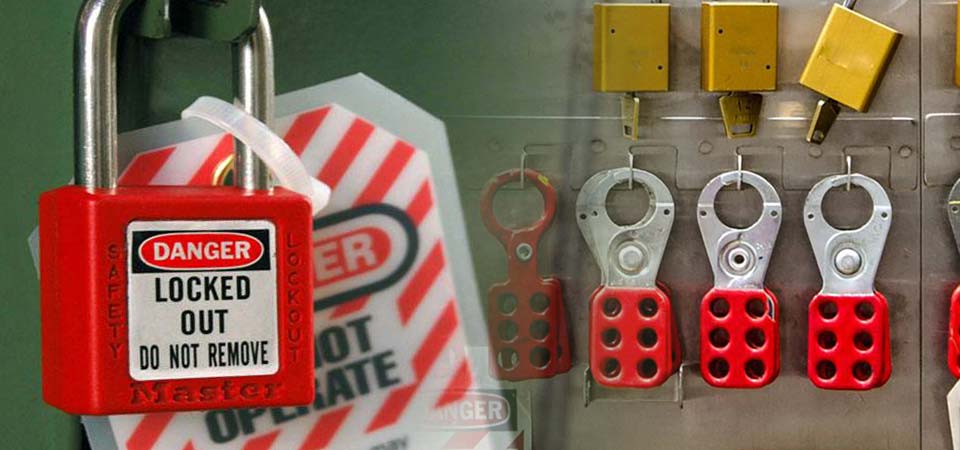
 Lockout/Tagout Toolbox Talk: Control Hazardous Energy Before It Kills
A machine that starts up unexpectedly can maim or kill in a second. This lockout/tagout toolbox talk covers OSHA 1910.147 and the six steps of LOTO.
 General safety
 Fatigue and Complacency Toolbox Talk: The Silent Hazards
Tired brains take shortcuts and familiar work breeds autopilot. This fatigue and complacency toolbox talk shows how to catch both before they hurt you.